
An ESPN BottomLine Ticker for Any Device, in Your Browser
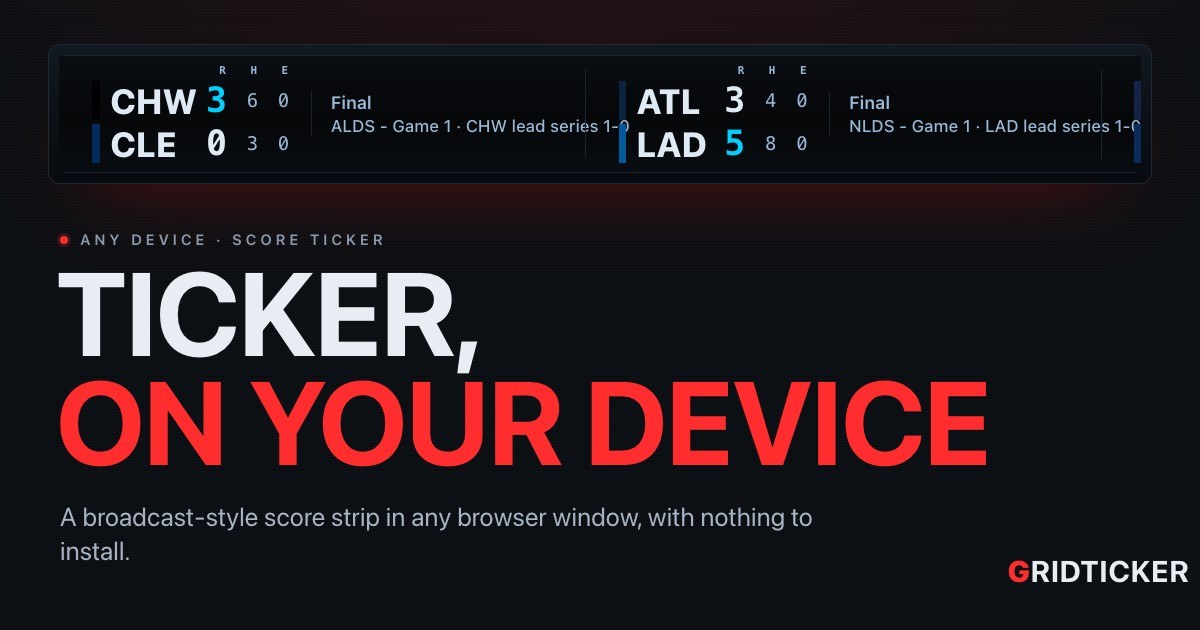
If you are looking for an ESPN BottomLine ticker for desktop, meaning the line of scores that crawls along the bottom of a sports broadcast but running on your own screen, GridTicker does it in a browser window. It works in any modern browser on Windows, macOS, Linux or a Raspberry Pi, and there is nothing to install. It also has a theme called ESPN Bottom Line, plus a Single line layout that puts the whole game on one line, like the original broadcast crawl.
The rest of this article covers how to set it up as a strip on a monitor, what scrolls past, and how to keep it showing only what you care about.
What fans want from a BottomLine-style ticker
The broadcast crawl caught on because you can check it without stopping what you are doing. Your eye drops to it, finds a score and goes back to work. A desktop version should keep that habit going:
- A thin strip, not a whole app. It should sit across the edge of a monitor and stay out of the way.
- Scores that keep moving. No clicking or refreshing. The ticker does the work.
- The look you know. A crawl that reads like the one on TV.
- Your teams. The games you care about should come first, or be the only ones shown.
GridTicker is built around those four things. It runs full screen or in a window. In the words of its own FAQ, it fits the space it is given: a bar across the top of a monitor, or a whole screen of its own.
Setting it up as a desktop strip
- Sign in to GridTicker in your browser on the machine you want to use.
- Open Settings → General and find the Browser block under how each device draws it.
- Set Theme to ESPN Bottom Line.
- Set Layout to Single line if you want the classic one-line crawl, or keep TV score box for a stacked score box.
- Resize the browser window into a strip across your monitor and leave it running.
Sizing the text to a thin window
Turn on Fit text to the screen and the text sizes itself to the window's height. A thin strip across a monitor and a whole television both get text that fits. If you would rather pick the size yourself, turn it off and use Text size.
Speed, and stopping to read
Each ticker has its own speed, in pixels a second, so headlines can move slower than scores and prices faster. Pause on hover stops the strip while your mouse is over it, so you can read a score without chasing it.
One strip or several rows
Stack tickers in rows gives each ticker its own row, so sports, stocks and news scroll separately. Turn it off and everything shares one strip, one after another, which is closer to a single broadcast crawl.
| Control | Where it is | What it changes |
|---|---|---|
| Theme | Settings → General, Browser | GridTicker terminal, ESPN Bottom Line or Retro LED |
| Layout | Settings → General, Browser | TV score box or Single line |
| Fit text to the screen | Settings → General, Browser | Sizes text to the window's height |
| Pause on hover | Settings → General, Browser | Stops the strip under the mouse |
| Stack tickers in rows | Settings → General, Browser | One row per ticker, or one shared strip |
What scrolls past
A plain crawl shows two teams and a score. GridTicker shows more of the game, at a glance.
Live games
- Baseball shows runs, hits and errors, the inning, runners on base, outs and the count. It also shows who is at bat and how their game has gone, and who is pitching, with their line so far.
- Football adds an arrow beside the team with the ball, the timeouts each team has left, the down and distance, where the ball is, and the last play in words. The down and distance turn red inside the red zone.
- Hockey and basketball show the score, the clock and the period.
A red dot marks a live game. When a team scores, the play gets its own moment on screen for two minutes, with the scorer's name. You can turn Score celebrations off if you want a quieter strip.
Games still to come, and finals
A game that has not started shows its start time and the channel showing it. In baseball it also shows each side's probable starting pitcher, with their record and ERA. A finished game says Final, with /OT if it went to overtime. In the playoffs, a game names its round under the clock and shows how the series stands.
Standings and brackets
You can add league tables to the strip as well. Under Standings, tick a league to add the tables its playoffs are decided by. None are on until you pick some. For the pro leagues, the same switch brings the postseason bracket, drawn as one bracket.
Beyond scores
The crawl on TV mixes in other news, and GridTicker can too:
- Stocks: the symbol, the price, and the change since yesterday's close, green when it is up and red when it is down, from a watchlist you build.
- News: headlines, each led by the outlet's masthead, from the outlets you pick.
Keeping the strip about your teams
A broadcast crawl runs through every game in the league. On your own desk, you can narrow it:
- Favorites first puts your favorite teams ahead of the rest of their league.
- Favorites only shows only your favorites, league by league. A league where you have starred nothing still shows everything.
- Upcoming reaches sets how far ahead upcoming games go, from today only up to the next two weeks.
- Logos puts a crest beside each team, and logos on stocks and headlines.
You can also set hours for each ticker on each screen. For example, you could show stocks while the market is open and scores in the evening. A ticker with no hours set shows all the time.
One thing to know: GridTicker gets its scores from public sports data providers, which can run a little behind the broadcast.
How GridTicker helps with exactly this
GridTicker is a browser ticker, so the desktop strip is what it is built for. Pick the ESPN Bottom Line theme and the Single line layout under Settings → General and you have a broadcast-style crawl in a window. The guide shows what each theme and layout looks like and explains every row on the strip. Your settings follow your account, so the ticker looks the same on every machine you sign in on. It costs $10 a month on as many machines as you sign in on, and every new account starts with a trial.
To put a crawl across your own monitor, set up a strip.